
Three years ago, WordPress announced that it was starting to develop a new built-in Gutenberg editor. A year later, the application appeared in beta as a plugin, and the WordPress 5.0 version of Gutenberg became a full-fledged editor. 8.5 Gutenberg is out recently, but about that later.
The Gutenberg editor, according to WordPress representatives, is revolutionary in terms of customization, as well as in terms of creating sites. Success web will tell you the main advantages of the plugin and its shortcomings.
Who is best suited for Gutenberg?
ОExperienced content managers bypass Gutenberg, because here almost everything is different. Frequent problems: plug-in edits that do not work with the program. Gutenberg is best suited for beginners, who will find it easier to deal with tasks in it, for example, for one-pagers, there are many different blocks.
The content block format is a huge plus
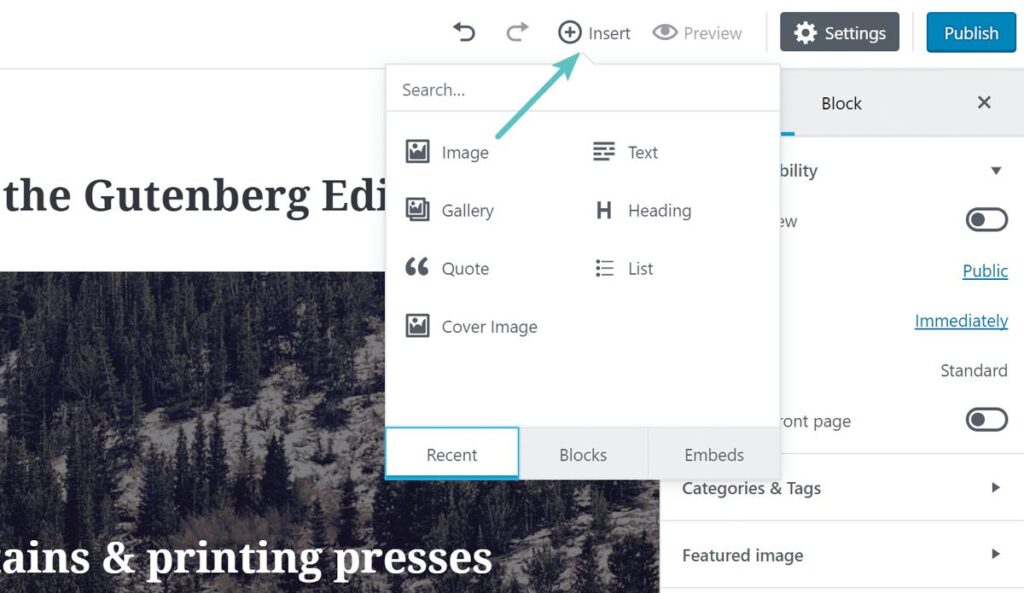
Gutenberg differents from the classic editor by working with content blocks (each is a separate block: paragraph, photo, quote …). The editor interface has changed, but the main innovation is the content format. Thanks to Gutenberg, the world has got articles with even more different and richer design options. The idea is cool, because you don’t need to interact much with HTML or CSS.
Plugin features
Cancellation of shortcodes for embedding publications from other sites – now you just need to choose a site among 30 offered (Youtube, Facebook, Instagram, etc.), and then insert a link.
- Buttons no need to be embedded due to additional shortcodes with plugins;
- Appeared anchors for links to sections of the article ;
- Possibility to add text on the photo inside the editor.
Flaws Gutenberg
The WordPress 5.0 Gutenberg version has become more complex instead of simpler.
- In the blog engine, post markup is based on the markdown approach, which is easier and faster. Insread in Gutenberg it turned out more confusing and longer;
- Old plugins do not work with Gutenberg (additional markup programs, etc.).
Disabling Gutenberg WordPress
If the WordPress version is 5.1.1, and working in the classic editor is more convenient, then you need to install the official plugins Classic Editor and Disable Gutenberg. It is worth adding that support for the classic editor will end on December 31, 2021.
Gutenberg 8.5: what is new?
On August 11, a new WordPress Gutenberg update will appear, which will include the ability to upload images from external resources and edit photos in galleries. The update itself is not innovative, it is only complemented by minor improvements and improvements (the ability to drag and drop blocks has been improved, while reusable blocks are now located in a separate tab).
Highlight the most useful plugin innovations:
- You can now add an HTML anchor/ID to each static block (no need to switch to code editing mode);
- Support for dragging multiple blocks;
- Adding photos from third-party URLs (the image is loaded by the link into the media library). The upload process is manual – with the insertion of a photo by URL, a download icon and up arrow appeared in the editor toolbar, which you need to click on add the picture itself to the media library;
- New button for editing individual photos in the gallery block, where you can change images point by point;
- Reusable blocks appeared in a separate tab (there are only 3 tabs: Blocks, Patterns and Reusable).